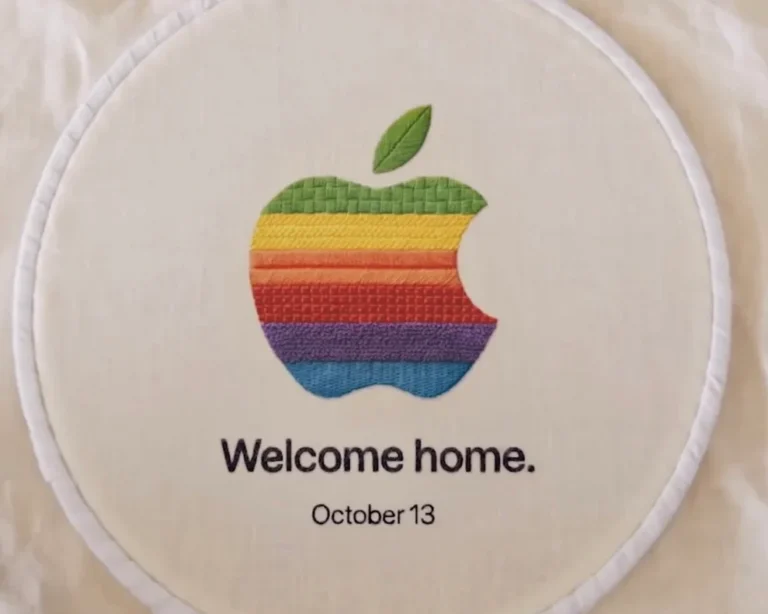
At last week’s event for the iPhone 18 Pro series and Apple’s first foldable, the iPhone Duo, Apple confirmed that the much-anticipated iOS 27 operating system will formally roll out at 10 a.m. US West Coast time on September 14.
This update not only supports the iPhone 11 and later models but also marks a pivotal milestone in Apple’s full entry into the practical AI era. Beyond the core iOS 27, iPadOS 27, crafted for the tablet ecosystem, will release simultaneously. I have compiled the eight core new features of this system upgrade, along with the distinct experiences exclusive to iPadOS 27. The full feature list is detailed on Apple’s official iOS overview page.
The 8 Core Highlights of iOS 27
1. A Rebuilt “Siri AI”
The Siri of old could only handle basic commands such as setting an alarm or checking the weather. The all-new Siri AI, however, formally transforms into an advanced artificial intelligence assistant akin to ChatGPT.
Beyond waking it with a long press of the side button, Siri AI gains its own dedicated app, possesses on-screen awareness, and can deeply read personal information within the phone.
Note that, because it relies on Apple Intelligence computing power at its foundation, Siri AI is currently limited to the iPhone 15 Pro or newer models. Moreover, it initially supports only English and imposes a daily usage limit. Apple has even hinted that advanced usage in future may require a paid subscription.
Furthermore, Apple has announced plans to add support for French, Japanese, Korean, Portuguese, and Spanish in October this year. As for Apple Intelligence itself, upon the release of iOS 27 it will support English, Simplified Chinese, Traditional Chinese, Danish, German, French, Dutch, Italian, Japanese, Korean, Norwegian, Portuguese, Spanish, Swedish, Turkish, and Vietnamese.
In earlier testing, the English-interface Siri AI could in fact communicate directly through text input in languages such as Traditional Chinese, and Siri AI would reply in the corresponding language. Yet for Siri AI to interact directly by voice in Chinese and other languages, one can only await Apple’s subsequent updates. On another front, owing to regulatory disputes under the EU’s Digital Markets Act, the Siri AI feature will not open in the EU region initially.
2. More Apple Intelligence Generative Applications
Beyond Siri AI, iOS 27 brings more practical generative AI features, such as:
- Photos app: a new “Extend” function computes imagery beyond the original photo’s boundaries, along with “Reframe” for altering perspective.
- Image Playground: adds support for generating photorealistic-style images.
- Shortcuts app: users need only describe in natural language, and the AI automatically writes the corresponding shortcut script.
- Smart home: automatically generates text descriptions for clips recorded by HomeKit Secure Video cameras.
3. The Liquid Glass Visual Interface Evolves
Apple continues the “Liquid Glass” design vocabulary first introduced in iOS 26, refining it in iOS 27. The new interface refracts light more evenly, offers higher contrast, and renders app icon edges sharper and finer. The system also adds a new set of sliders, letting users freely adjust the transparency and tint of the glass effect.
4. A Burst of System-Level Performance
Beneath the resplendent interface, iOS 27 brings marked low-level performance gains. Apple’s official figures indicate that app launch speed improves by up to 30%, the Photos library loads new photos 70% faster, and AirDrop file transfers accelerate by a substantial 80%.
5. “iPhone Handoff” for the Two-Phone Carrier
For users who carry two iPhones simultaneously, such as a work phone and a private one, the new iPhone Handoff feature allows seamless switching between the two while sharing a single phone number. This feature, however, requires backend carrier support. Currently, T-Mobile in the US (charging an extra $5 per month) and Deutsche Telekom in Germany will be the first providers to support it, with more carriers expected to join before year’s end.
6. AI-Powered Apple Cash Bill Splitting (US Only)
In the US market, users need only open the camera’s Siri mode and aim it at a restaurant receipt. The AI automatically recognizes the items and helps calculate the total including tax and tip, then links directly to Apple Wallet and iMessage, letting one send friends a precise itemized request via Apple Cash.
7. Find My: Custom Hiding Time
In the past, sharing a location offered only “indefinitely, until the end of the day, or one hour.” In iOS 27, one can set a precise expiration date and time (for example, 4 days and 6 hours). Most thoughtfully, users can quietly pause location sharing with specific friends or family until the end of the day, with the other party receiving no notification at all, making it perfect for secretly preparing a birthday surprise.
8. Watching Video While Parked in CarPlay
Apple has formally opened the door for developers to build CarPlay apps with video browsing. As long as the vehicle is in a parked state (such as waiting for someone at the airport or charging at a Supercharger station), the driver can watch streaming video directly through the car’s screen or via AirPlay, helping EV owners pass the time while charging.
iPadOS 27 Exclusive Upgrades: Enhanced Productivity and Window Management
Tailored to the iPad’s large-screen character, iPadOS 27, building on the shared Apple Intelligence and Siri AI features of iOS 27, brings exclusive upgrades leaning toward desktop-class productivity:
- A new systemwide menu bar: to close the gap with macOS, iPadOS 27 introduces a persistent systemwide menu bar, letting users accustomed to a Magic Keyboard and mouse operate an app’s internal functions more intuitively.
- Faster windowing actions: building on the window-layout logic laid down in iPadOS 26, this update further optimizes the fluidity and responsiveness of dragging, resizing, and splitting windows.
- Fivefold faster file transfer: addressing the file management creators care about most, Apple has substantially rewritten the underlying architecture of the built-in Files app, claiming that moving and copying files in iPadOS 27 can be up to 5 times faster than the previous system.
- Deep Spotlight and Siri AI integration: Spotlight search on iPad can no longer only find files or launch apps; it now returns answers generated by Apple Intelligence directly and remembers past Siri interaction history, making the tablet a more powerful data-retrieval hub.
- Paste suggestions: based on the user’s context and clipboard contents, the system proactively offers the most fitting paste suggestion at the cursor, speeding up cross-app document processing.
Over 250 Features and Changes
During WWDC 2026 this year, Apple announced more than 250 feature and change upgrades across operating-system updates such as iOS 27, weaving together the experience across iPhone, iPad, Apple Watch, Mac, Apple TV, and Vision Pro through Apple Intelligence.
Beyond the formal release of iOS 27 and iPadOS 27, Apple will also release the official versions of macOS 27, watchOS 27, tvOS 27, and visionOS 27.
Support Our Threat Intelligence
If you find our technology report and cybersecurity news helpful, consider supporting our work.
 Buy Me a Coffee
PayPal
Buy Me a Coffee
PayPal