Former Microsoft engineer Dave Plummer built a tiny text editor called TinyRetroPad. It copies the look of old-school Notepad. The finished file is just 2,686 bytes, well under three kilobytes. So it makes a simple point: a basic text editor doesn’t need telemetry, AI tips, or extra features piled on top of plain text entry.
A Return to Clear Software Boundaries
Plummer once helped build Windows Task Manager. He explained the backstory in a recent video. Microsoft used to draw clear lines between its apps. For instance, Notepad handled plain text, while WordPad handled RTF files, fonts, and richer formatting.
Over time, though, WordPad vanished. Meanwhile, Notepad picked up features that once felt out of place in a simple editor. That list now includes Copilot-based tips.
Building TinyRetroPad
Plummer built TinyRetroPad as a fork of Matt Power’s Dave’s Tiny Editor. He wrote the code in assembly language. He also used the RICHEDIT50W piece from the Windows API.
This choice let him reuse ready-made Windows tools instead of building every feature from zero. The editor can open and save files, pick fonts, and even print. Still, Plummer called the Windows print system its own hidden world under the hood.
A Familiar Retro Look
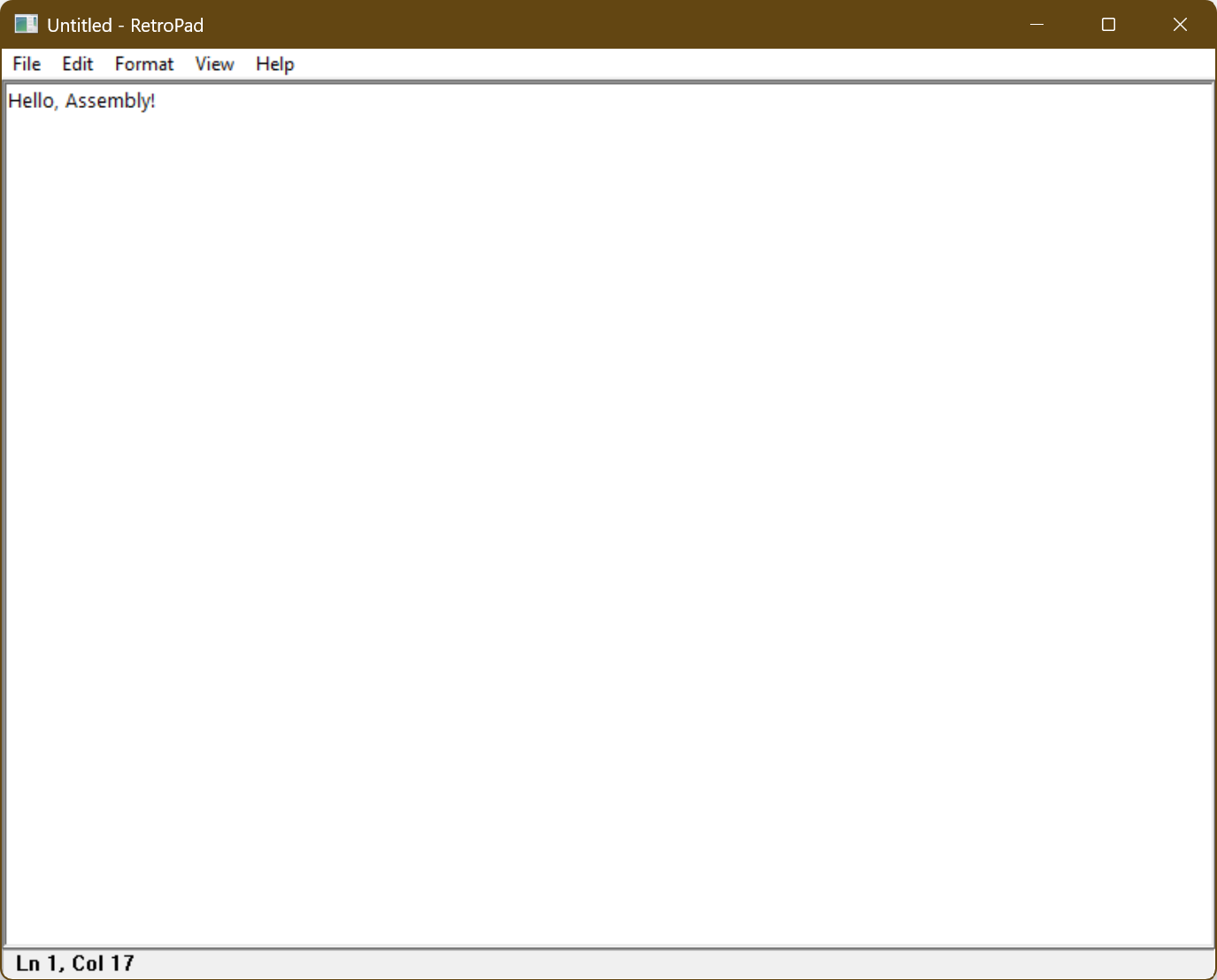
TinyRetroPad looks like Notepad from the Windows XP days. A shared screenshot shows a plain, old-style window. An ASCII-art RetroPad logo sits at the top. Below it sits an empty document area with no modern toolbars, tips, or extra buttons.
How Small Is It, Really?
The running app takes up more space than the raw file, since Windows loads extra system parts alongside it. When reporters built the project themselves, they got a 2,794-byte file. On disk, though, it took up 4,096 bytes due to cluster size. Even so, TinyRetroPad shows that small apps can still work well without extra bloat.
A Quiet Jab at Modern Software
Today’s Notepad.exe is over 100 times bigger than TinyRetroPad. That gap doesn’t mean the standard Windows editor got 100 times more useful, though. Instead, TinyRetroPad reads like a quiet jab at modern software, where simple tools slowly turn into showcases for features nobody asked for.
Support Our Threat Intelligence
If you find our technology report and cybersecurity news helpful, consider supporting our work.
 Buy Me a Coffee
PayPal
Buy Me a Coffee
PayPal