A routine business email can turn a standard administrator tool into a channel for computer takeover, without exploiting any vulnerability. Huntress specialists discovered a phishing campaign in which attackers persuaded users to install the legitimate Faronics Deploy platform, then used it to deploy ScreenConnect for remote access.
Lures on More Than 457 Endpoints
Between 21 July and 20 August, Faronics-related lures appeared on more than 457 endpoints. The emails masqueraded as tax documents, invoices, financial reports, and invitations. A link led to a site that collected details about the visitor’s browser, system, language, time zone, and screen. It then decided whether to show the malicious chain or a harmless decoy.
From Fake Document to Signed Installer
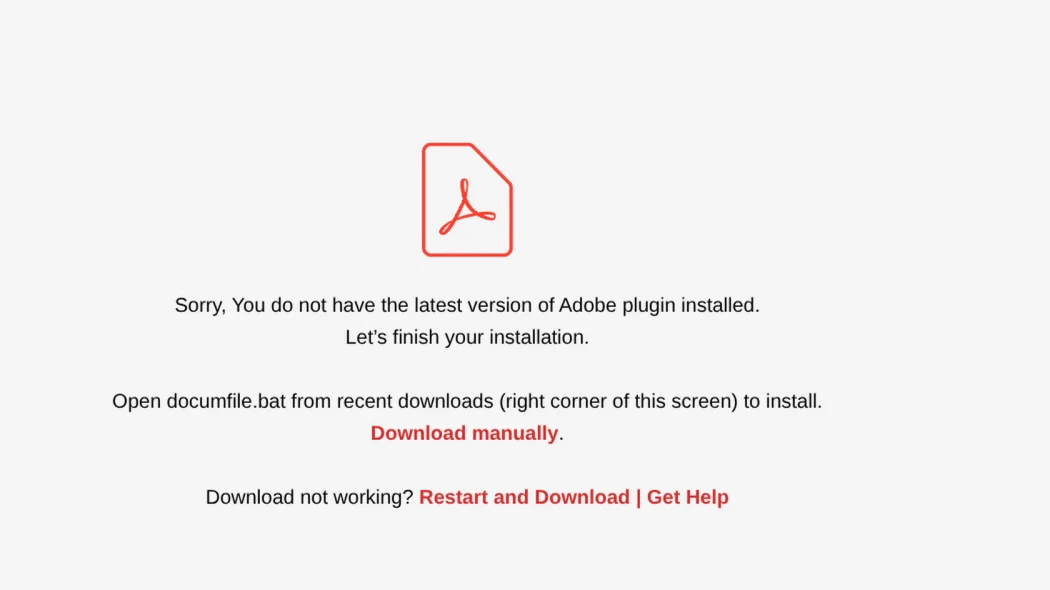
The fake pages imitated an Adobe document viewer, a Zoom invitation, or a file download. The victim was prompted to run a supposedly outdated plugin. In reality, the signed installer enrolled the computer into a Faronics Deploy account controlled by the criminals. Having obtained administrative rights, the standard agent could install programs and run scripts without further user action.
PowerShell, GitHub, and a Second Channel
Through Faronics Deploy, the operators ran PowerShell commands and downloaded additional scripts, including from GitHub. Different variants of the chain used curl, mshta, and msiexec. The next link was ScreenConnect, which created a second remote-control channel. Legitimate and signed tools helped disguise the activity as ordinary IT-department work.
Faronics Response
Huntress notified Faronics on 5 August. The criminals registered accounts under fictitious organizations and fraudulent domains, and also hijacked other people’s accounts. Faronics introduced additional anti-abuse measures and contacted potential victims. From around 21 August, the number of detected cases fell sharply, though researchers did not declare the campaign entirely over.
Detection and Response Guidance
When Faronics Deploy appears unexpectedly, defenders are advised to isolate the device and preserve the log at C:\ProgramData\Faronics\Logs\ScriptRunner.log. It may retain the addresses of executed scripts and traces of the ScreenConnect installation. Next, remove unauthorised management tools, check commands and persistence mechanisms, and, at any sign of credential compromise, change passwords.
Support Our Threat Intelligence
If you find our technology report and cybersecurity news helpful, consider supporting our work.
 Buy Me a Coffee
PayPal
Buy Me a Coffee
PayPal